
Claude.ai MCP Integration
Connect your Heyo account to Claude.ai to give Claude direct access to your conversations, projects, and team data. This enables Claude to help you analyze conversations, draft responses, and provide insights about your customer interactions.
What is MCP?
The Model Context Protocol (MCP) is an open standard that allows AI assistants like Claude to securely connect to external data sources. When you connect Heyo to Claude, Claude can:
- Read your projects, conversations, and bookmarks
- Search across all your conversations
- Send messages to visitors on your behalf
- Open or close conversations
- Create projects and manage bookmarks
Prerequisites
- A Heyo Pro account (MCP is a premium feature)
- A Claude.ai account with a Pro or Max subscription (MCP requires a paid plan)
Setup Instructions
Step 1: Open Claude Settings
- Go to claude.ai
- Click on your profile picture in the bottom-left corner
- Select Settings from the menu
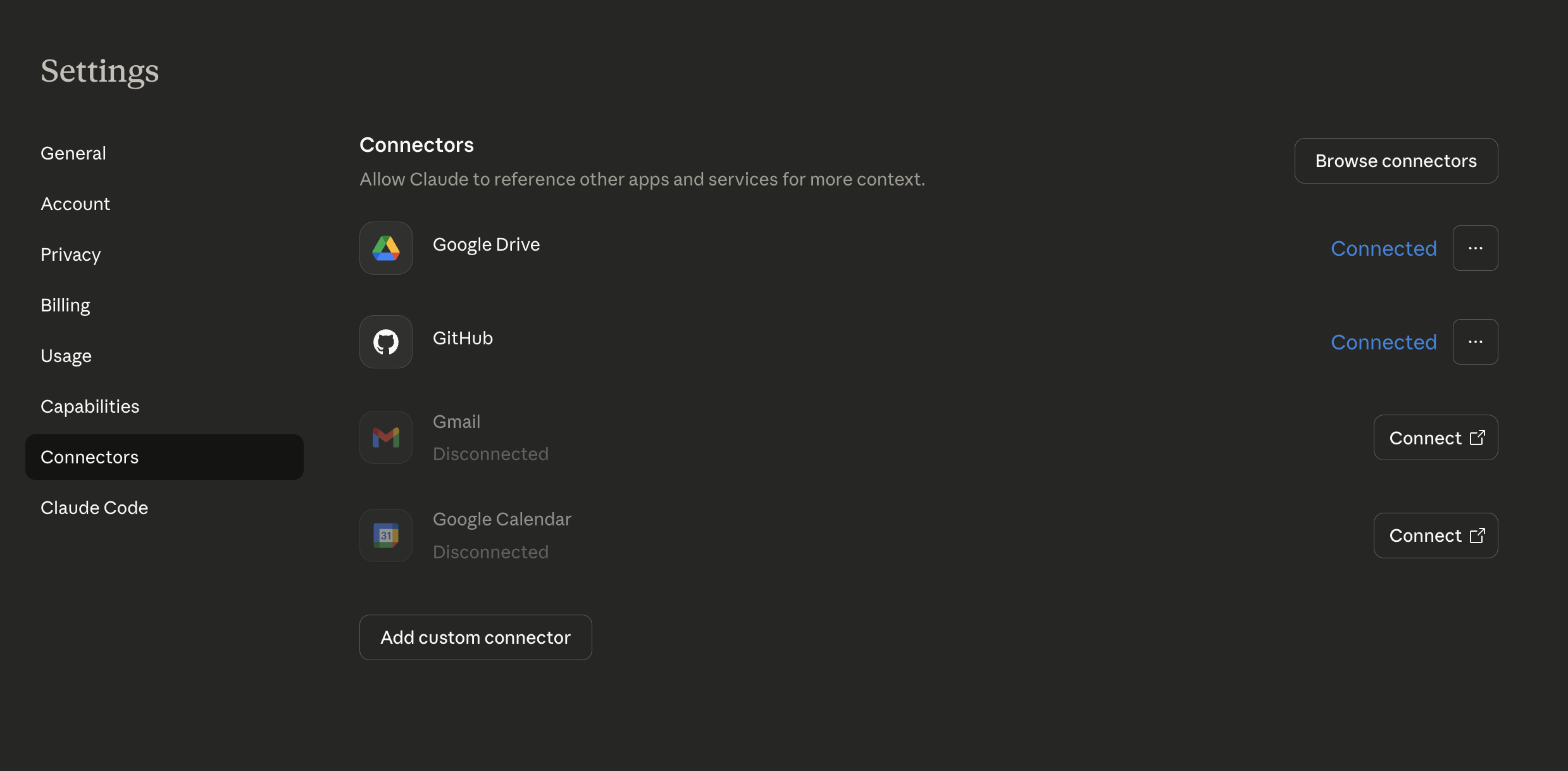
Step 2: Navigate to Connectors
- In the Settings panel, click on Connectors in the left sidebar
- You'll see a list of available connectors
Step 3: Add Heyo Connector
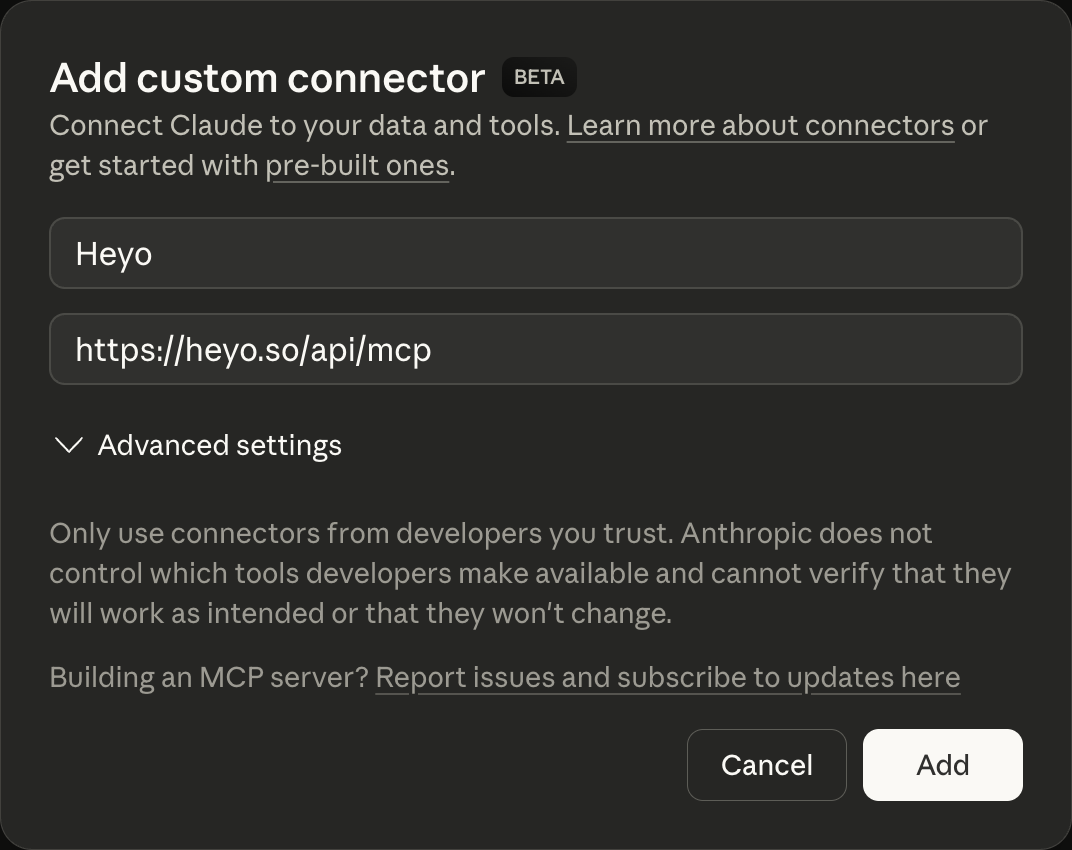
- Click Add custom connector
- In the URL field, enter your Heyo MCP endpoint:
https://heyo.so/api/mcp
- Give the connector a name (e.g., "Heyo")
- Click Add
Step 4: Connect Heyo
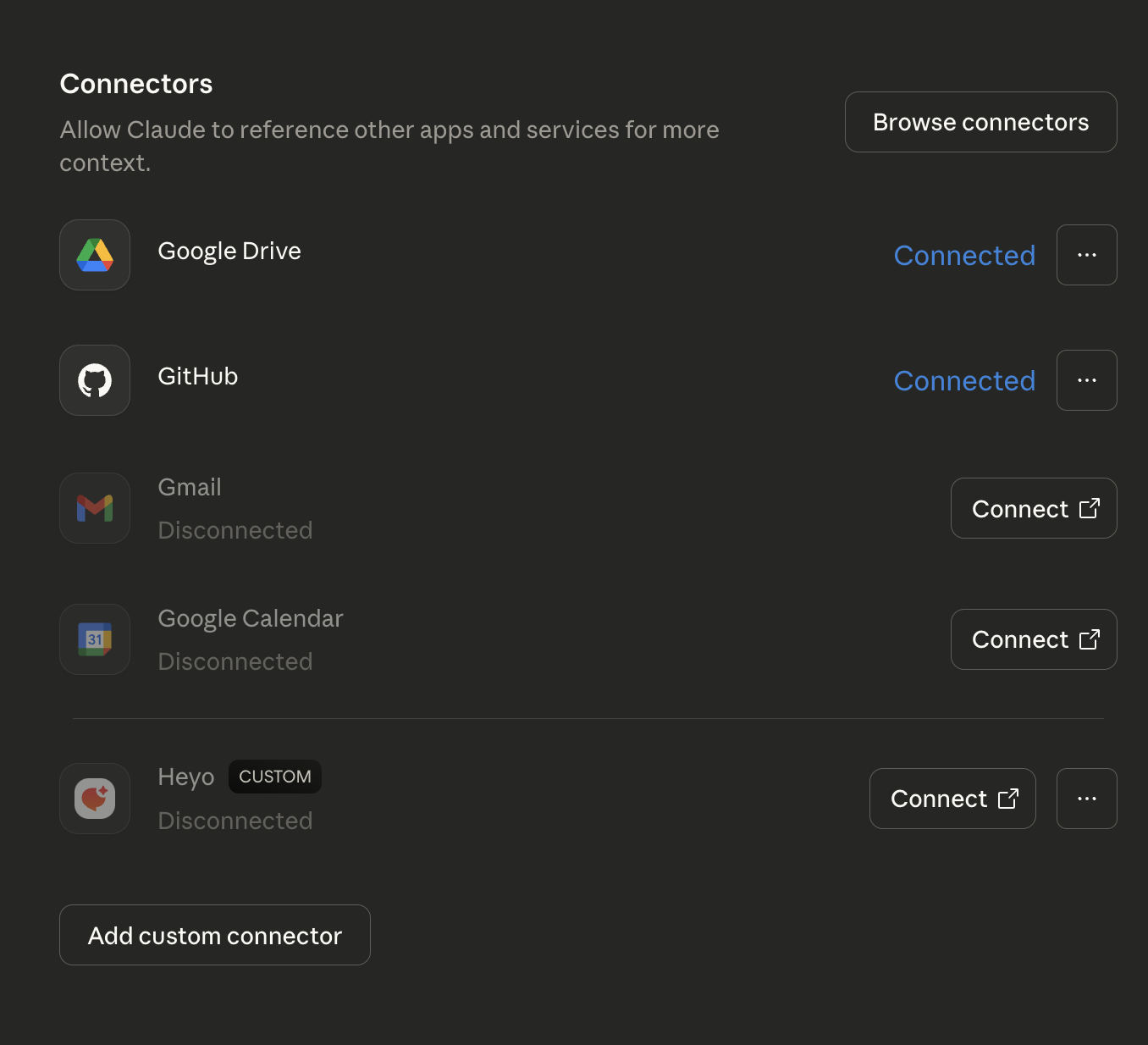
After adding the connector, Heyo will appear in your list with a "Disconnected" status.
- Click Connect next to the Heyo connector
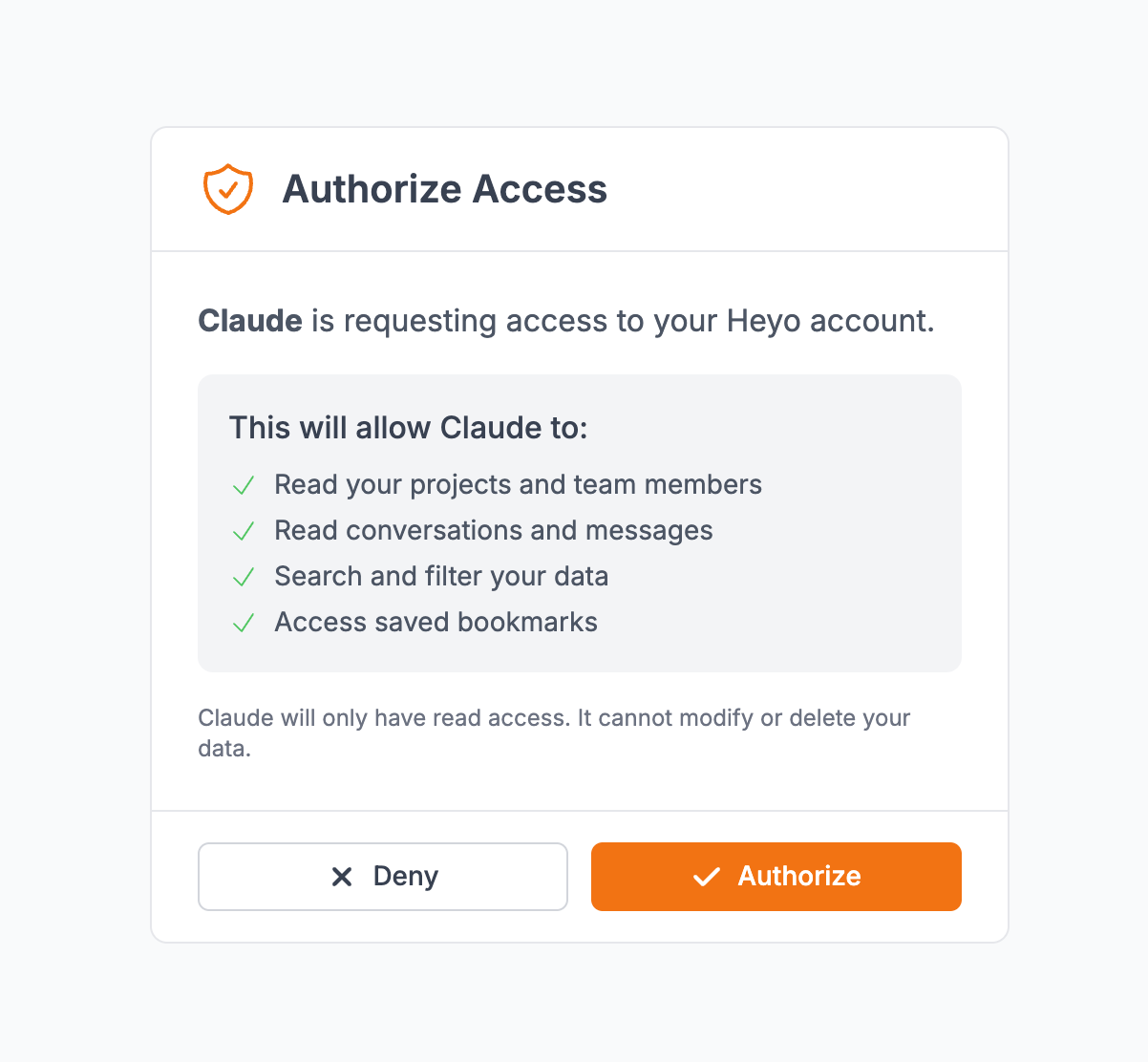
- A new browser window will open with the Heyo authorization page
- If you're not logged into Heyo, you'll be prompted to log in first
- Review the permissions that Claude is requesting
- Click Authorize to grant access
After clicking Connect, you'll be redirected to Heyo to authorize access.
Step 5: Verify Connection
Once authorized, you'll be redirected back to Claude. The Heyo connector should now show as "Connected".
Using Heyo with Claude
Once connected, you can ask Claude questions about your Heyo data. Claude will usually detect when you mention Heyo or conversations and automatically use the connector. You can also explicitly enable it by clicking the Connectors menu in the chat input and toggling Heyo on.
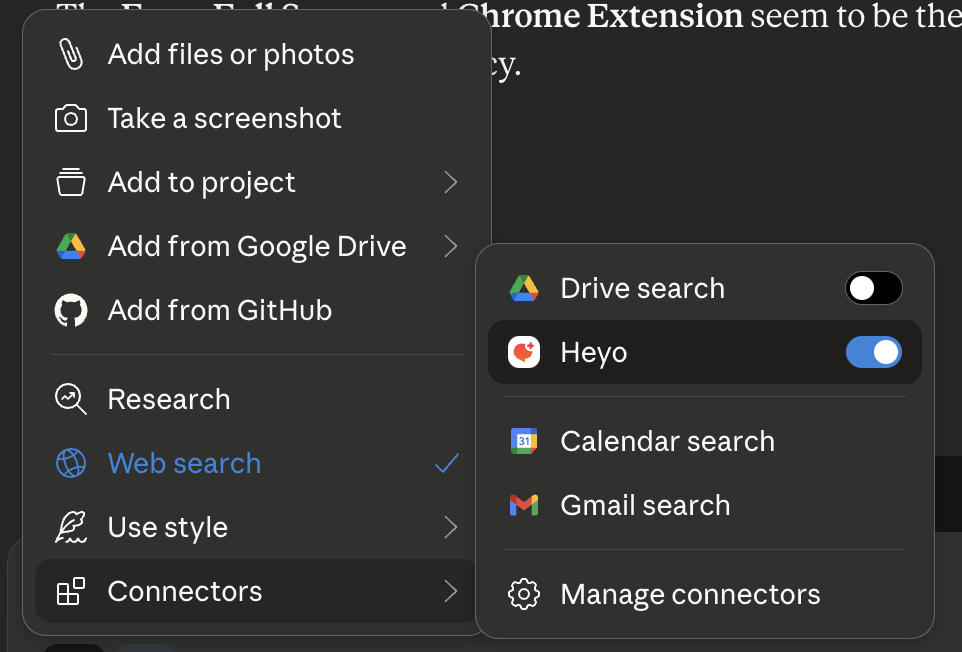
Once Heyo is enabled, you can use it to analyze customer feedback, identify trends, draft responses, and get insights from your conversation history.
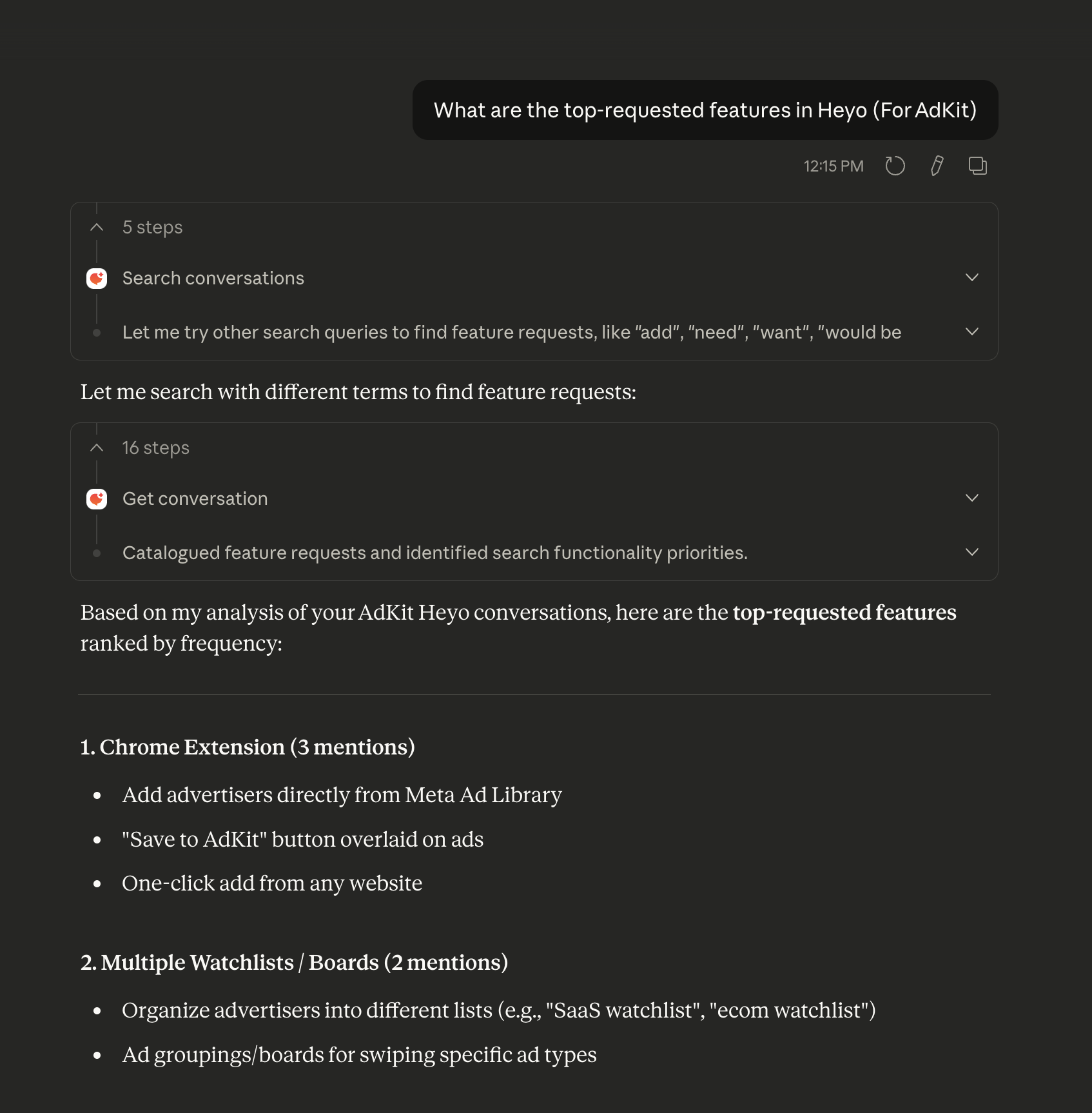
Example Prompts
Analyze recent conversations:
Show me a summary of conversations from the last week
Find specific messages:
Find conversations where customers mentioned "pricing"
Team performance:
Which team member has handled the most conversations this month?
Customer insights:
What are the most common questions our visitors ask?
Available Tools
When connected, Claude has access to these Heyo tools:
Read
| Tool | Description |
|---|---|
list_projects | List all your projects |
list_conversations | Retrieve conversations with filters |
get_conversation | Get full conversation details with messages |
search_conversations | Search conversations by content or visitor data |
list_bookmarks | Access saved bookmarks |
Write
| Tool | Description |
|---|---|
send_message | Send a message in a conversation |
update_conversation_status | Close or reopen a conversation |
create_project | Create a new project |
add_bookmark | Bookmark a message |
remove_bookmark | Remove a bookmark |
Troubleshooting
Connection Failed
If the connection fails:
- Make sure you're logged into your Heyo account
- Check that your Heyo subscription is active
- Try disconnecting and reconnecting the connector
Authorization Error
If you see an authorization error:
- Clear your browser cookies for heyo.so
- Log out and log back into Heyo
- Try the connection again
Data Not Loading
If Claude can't access your data:
- Verify the connector shows as "Connected" in Claude settings
- Make sure your Heyo account has data (at least one project with conversations)
- Try asking Claude to "refresh" its connection to Heyo
Security
- All connections use OAuth 2.1 with PKCE for secure authentication
- Access tokens expire after 24 hours and are automatically refreshed
- You can revoke access at any time from Claude's Connectors settings
Disconnecting
To disconnect Heyo from Claude:
- Go to Claude Settings → Connectors
- Find the Heyo connector
- Click the ... menu and select Disconnect
- Confirm the disconnection
This will immediately revoke Claude's access to your Heyo data.